
How to Unsubscribe
from Resume-Masters
Canceling your subscription is a simple process that can be done by following the steps below. However, please keep in mind that once you unsubscribe, you will lose access to your full career toolkit and the efficiency of AI-driven applications.
Before You Leave, See What You’ll Lose
Before you cancel, remember that you will lose access to these high-value tools designed to get you hired 3x faster:
- Instant AI suggestions: Create polished resumes with step-by-step advice for your specific sector with our AI resume builder.
- LinkedIn profile analyzer: Don’t go invisible. You’ll lose the AI-driven optimization tips used to increase recruiter views and rank higher in search results.
- Interactive interview practice: Giving up your edge? You’ll lose the AI simulator that provides real-time feedback to help you ace the actual interview.
- Cover letters that match perfectly: Generate tailored cover letters with AI to strengthen every job application.
- Secure cloud storage: Save, edit, and update your documents anytime without losing progress.
Steps to Unsubscribe from Resume-Masters
To cancel your subscription, follow these steps:
1- Log in to your Resume-Masters account using your email and password.
First, log in to your account using the sign in button on the menu with your email address or Facebook, Google Plus or LinkedIn account.
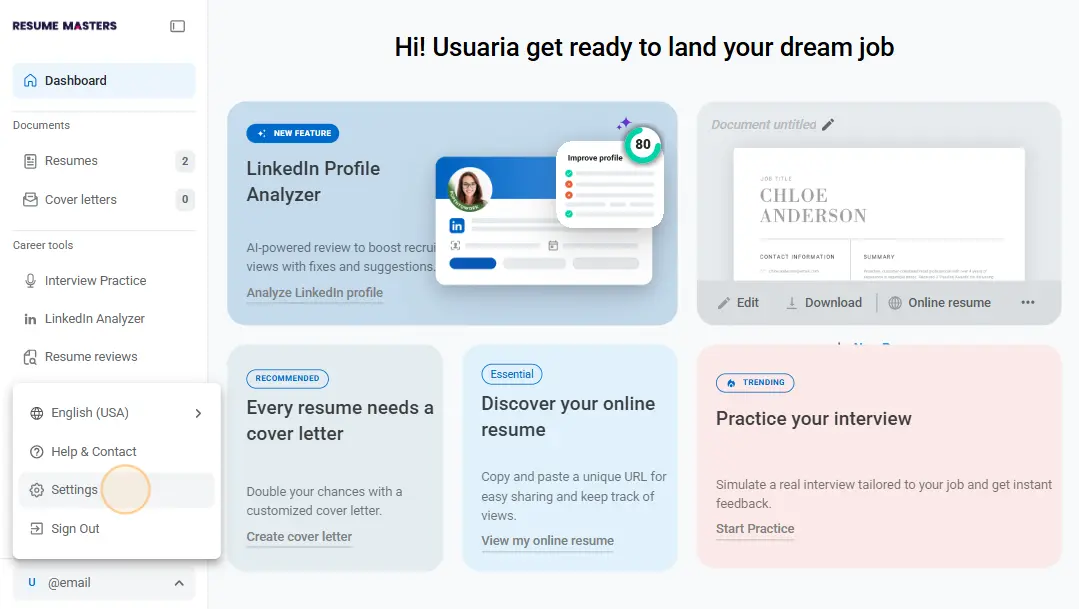
2- Go to your account located in the bottom-left corner of the dashboard and click on “Settings”.
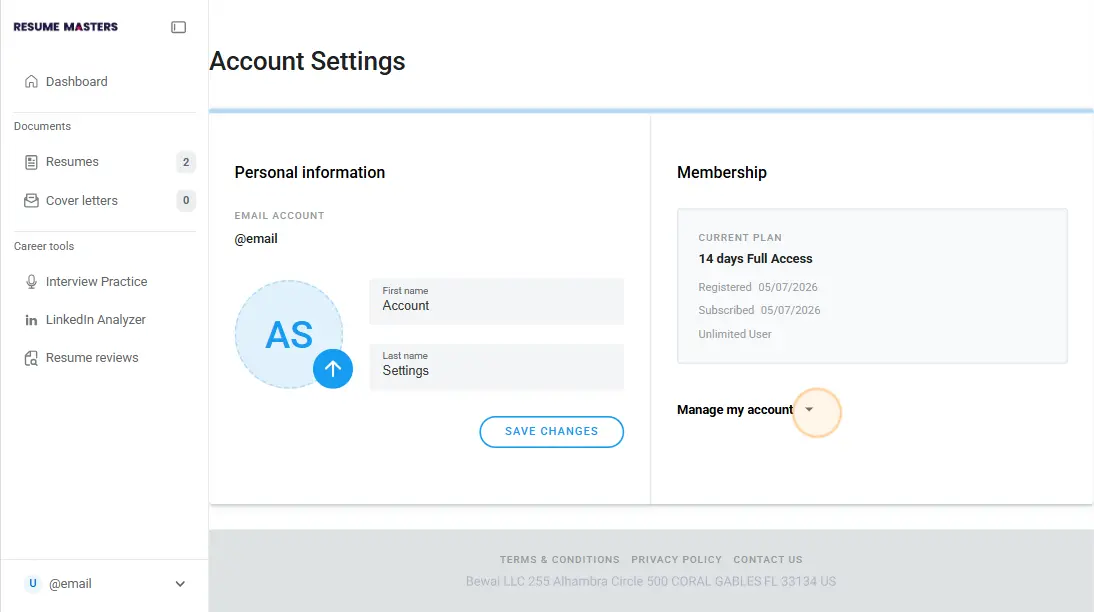
3- Click on “Manage my account” in the Settings page.
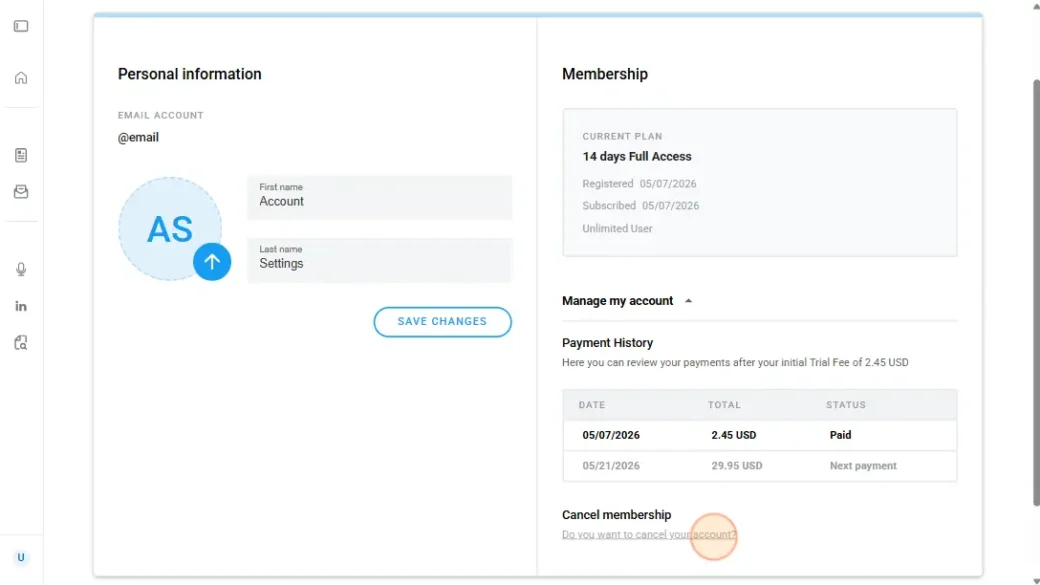
4- Find the Cancel membership section and click on “Do you want to cancel your account?”
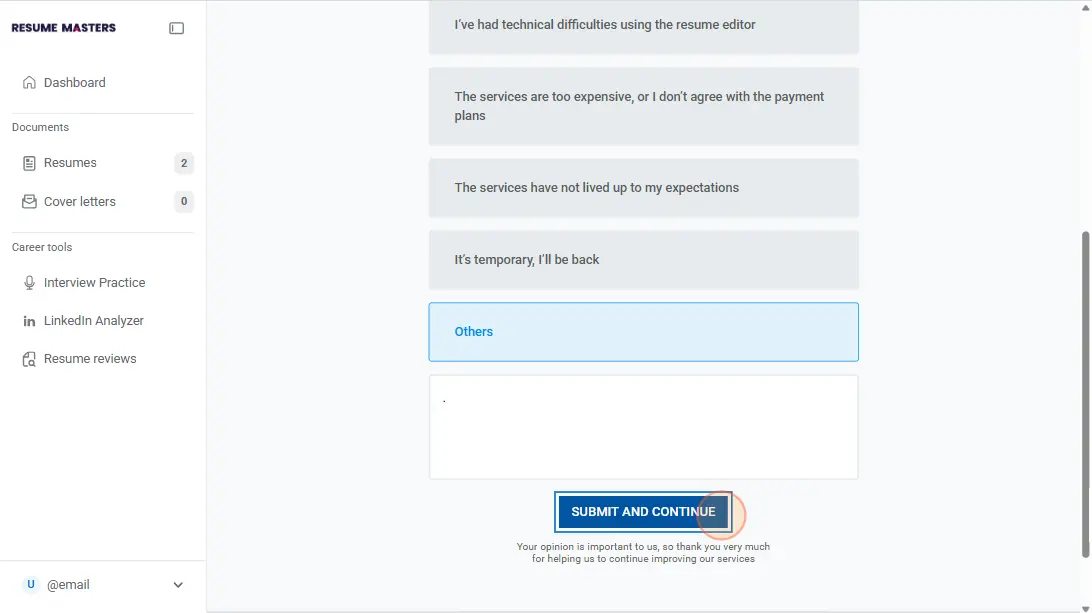
5- Select your reason for leaving. Your feedback helps us improve our career tools for everyone.
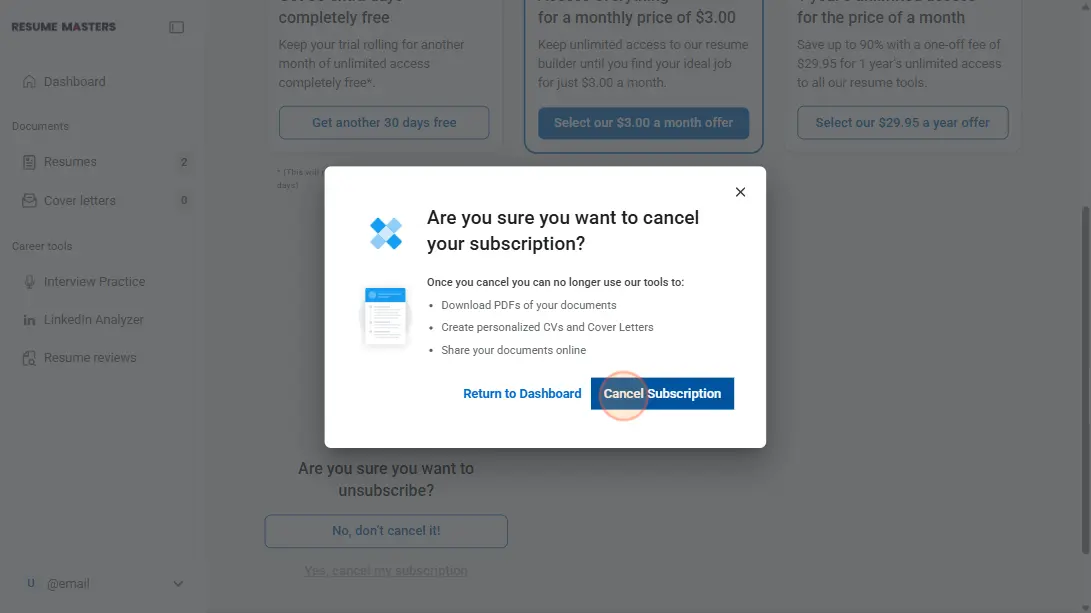
6- Click “Cancel subscription” to confirm your cancellation or choose to keep your account and keep your AI tools and downloads.
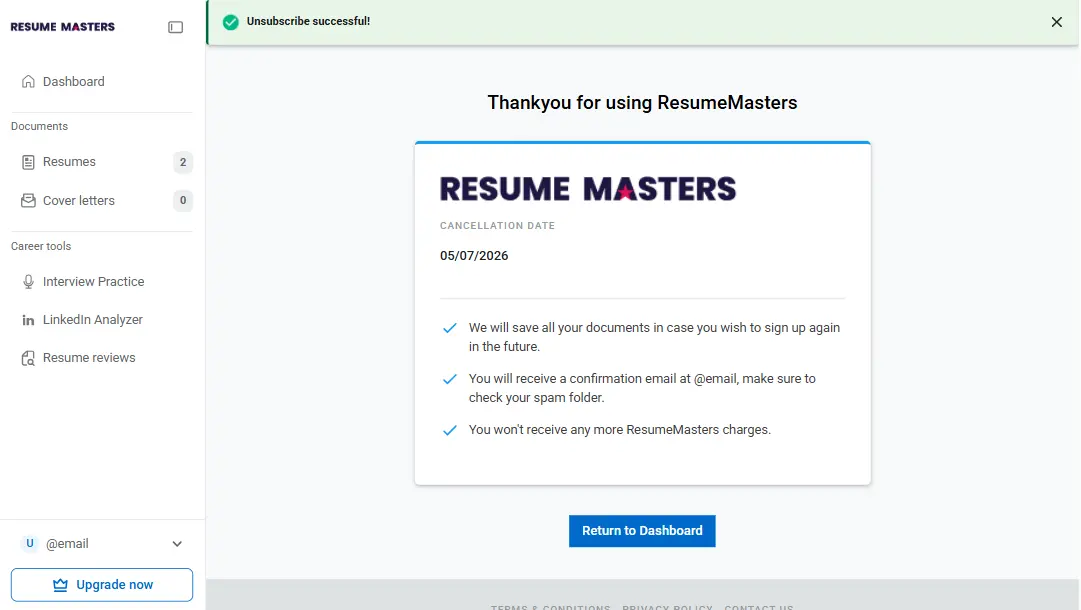
You’ll receive a confirmation once your subscription has been successfully canceled.
If you run into any issues or prefer assistance, you can contact us by phone or email.